How to Build Admin Panels That Actually Help Operations
A founder-focused guide to building admin panels: what to include, what to avoid, and how to design for operations teams.
Key Takeaways
- 01
Admin panels work best when they match how ops teams actually work. Start with the most frequent tasks.
- 02
Short answer: Prioritize view, search, filter, basic actions. Defer bulk operations and advanced reporting.
- 03
Strong admin design comes from observing the daily workflow, not building for edge cases first.
- 04
Shorter, clearer sections make the article easier to scan and easier for buyers to act on.
- 05
Common founder mistake: Over-building admin with features ops never uses. Start minimal.
- 06
The best next step is usually to list the 3-5 daily tasks and build for those first.
How to Build Admin Panels That Actually Help Operations matters because buyers do not reward software that is only technically correct. They reward software that solves a real workflow, looks credible, and is easy to evaluate. A founder-focused guide to admin panels that ops teams actually use.
If you are researching admin panels, the useful questions are practical ones: what should be built first, what should be delayed, where does the budget really move, and which tradeoffs are worth making now. That is the frame this guide uses.
Quick answer
Admin panels work best when they match how ops teams actually work. Start with the most frequent tasks, add search and filters, and avoid over-building for edge cases.
- Prioritize: view, search, filter, basic actions. Defer: bulk operations, advanced reporting.
- Design for the daily workflow, not the monthly edge case.
- Use existing tools (Retool, Admin.js) when they fit; custom when workflows are unique.
Who this guide is for
This article is for founders and buyers building admin panels for operations teams.
It is written to help teams build admin that ops actually uses.
- Useful when the backlog is larger than the budget.
- Useful when the founder needs to cut scope without losing the product thesis.
- Useful when the first release must support customer conversations, pilots, or revenue.
Admin panel priorities
The goal is not to create more theory. The goal is to show what makes admin panels useful.
| Priority | Include early | Defer | Why |
|---|---|---|---|
| View data | List views, key fields | Complex dashboards | Ops needs to see state |
| Search and filter | Basic search, 2-3 filters | Advanced query builder | Find things fast |
| Actions | Edit, approve, status change | Bulk operations | Daily workflow |
| Audit | Who did what, when | Full audit export | Accountability |
| Reporting | Basic counts, exports | Custom dashboards | MVP first |
Design for the daily workflow
The first release should prove something concrete: that a buyer will care, that a user will adopt the workflow, or that the product can replace a painful manual process. Without that frame, the build drifts into generic software effort.
What do ops teams do every day?
Build for that. View, search, filter, take action. Avoid building for the monthly edge case first.
Use existing tools when they fit
Retool, Admin.js, React Admin, and similar tools can cover 80% of admin needs. Custom when workflows are unique.
Common founder mistake
The common mistake is over-building admin with features ops never uses. Start minimal: view, search, filter, basic actions. Add based on feedback.
Founder note
When admin workflows are unique or tightly coupled to the product, custom software development may be needed. When they are standard CRUD, existing tools often suffice.
Admin panel checklist
- List the 3-5 tasks ops does every day.
- Build view, search, filter, and basic actions for those tasks.
- Add audit trail for key actions.
- Defer bulk operations and advanced reporting until needed.
- Get feedback from ops before adding more.
What to do next
If you are importing these JSON files into MongoDB, this is the content shape you want: clean headings, clear box sections, visible lists, and one practical table.
Apply this in a real project
If you’re planning to build or improve software based on these ideas, our custom software development services can help you define scope, reduce delivery risk, and ship maintainable systems.
For founder-led execution, explore our product development services and web development services to turn requirements into a working release with clear ownership.
Expert Insights
Daily workflow first
Build for what ops does every day. View, search, filter, take action. Avoid building for the monthly edge case first.
Existing tools often suffice
Retool, Admin.js, React Admin can cover 80% of admin needs. Custom when workflows are unique. Do not reinvent CRUD.
Feedback before features
Get feedback from ops before adding more. Over-building admin is common; under-building and iterating is better.
Reader Rating
Based on 1 reviews
Frequently Asked Questions
What should be included in an admin panel for MVP?+
Should I build a custom admin panel or use existing tools?+
What is the biggest mistake when building admin panels?+
How do I prioritize admin features?+
When should I add bulk operations?+
Reader Questions
How do I know what ops needs in the admin panel?
Observe the daily workflow. What do they look up? What actions do they take? Build for that. Ask before building.
What part of the admin panel should I focus on as a founder?
Focus on the 3-5 daily tasks. Everything else can wait. Get feedback from ops before adding more.
How much should I budget for an admin panel?
If using existing tools: $2K-$10K. If custom: $5K-$25K depending on complexity. Start with existing tools when possible.
Related Articles
Technology • 3 min
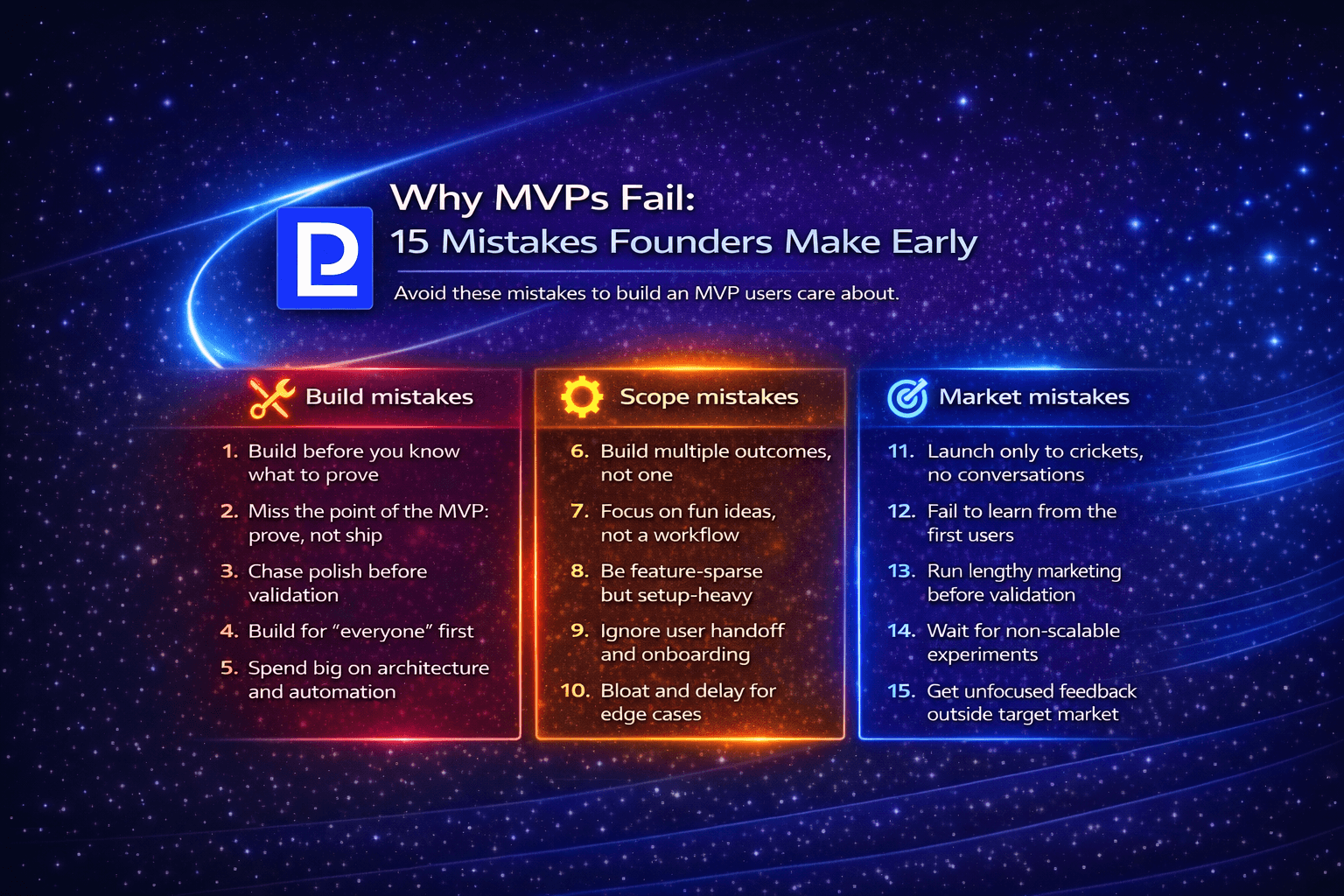
Why MVPs Fail: 15 Mistakes Founders Make Early
A founder-focused guide to the 15 most common MVP mistakes: what causes failure, how to avoid them, and how to build MVPs that actually validate.
Technology • 3 min
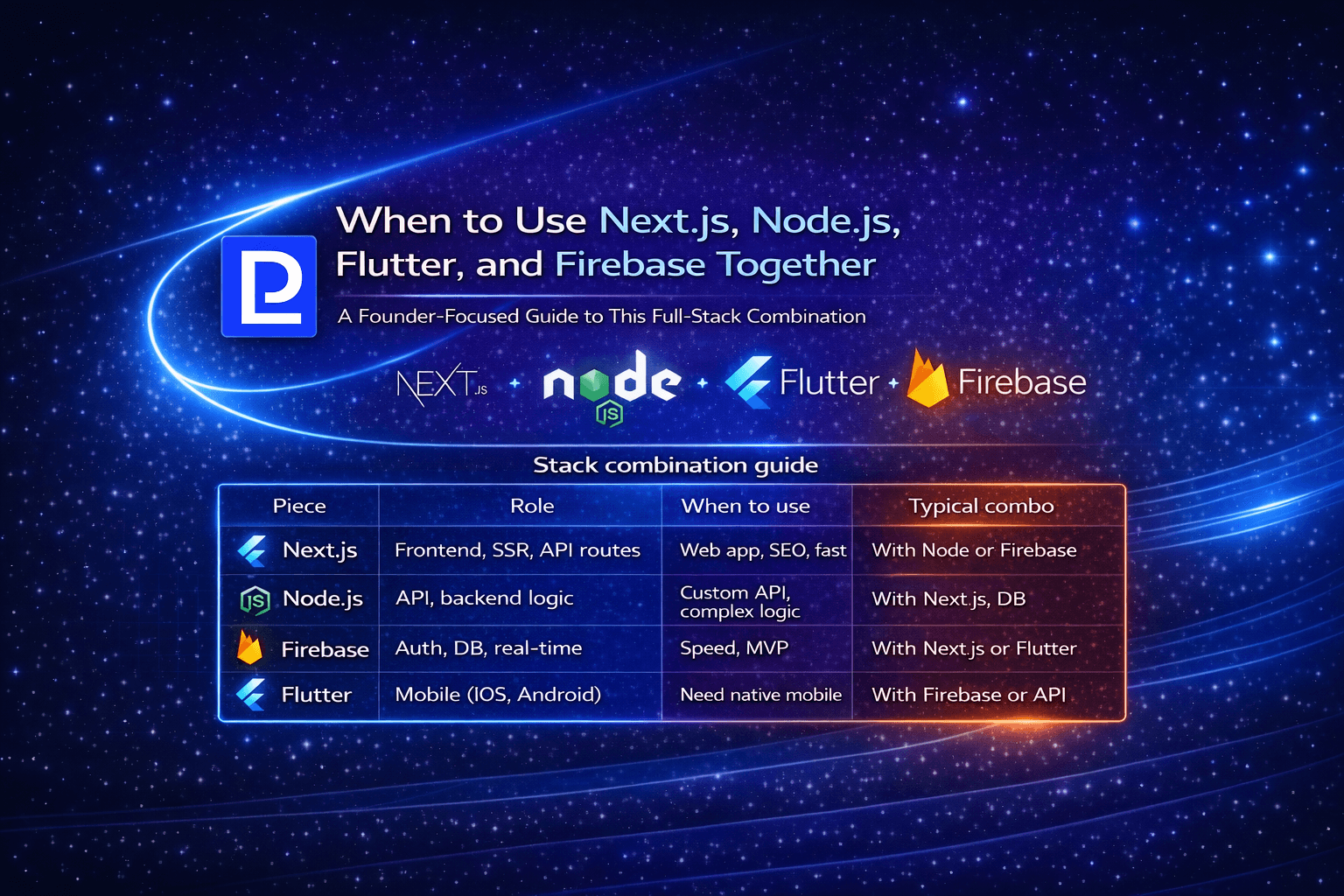
When to Use Next.js, Node.js, Flutter, and Firebase Together
A founder-focused guide to combining Next.js, Node.js, Flutter, and Firebase: when the stack makes sense and how to use them together.
Technology • 3 min
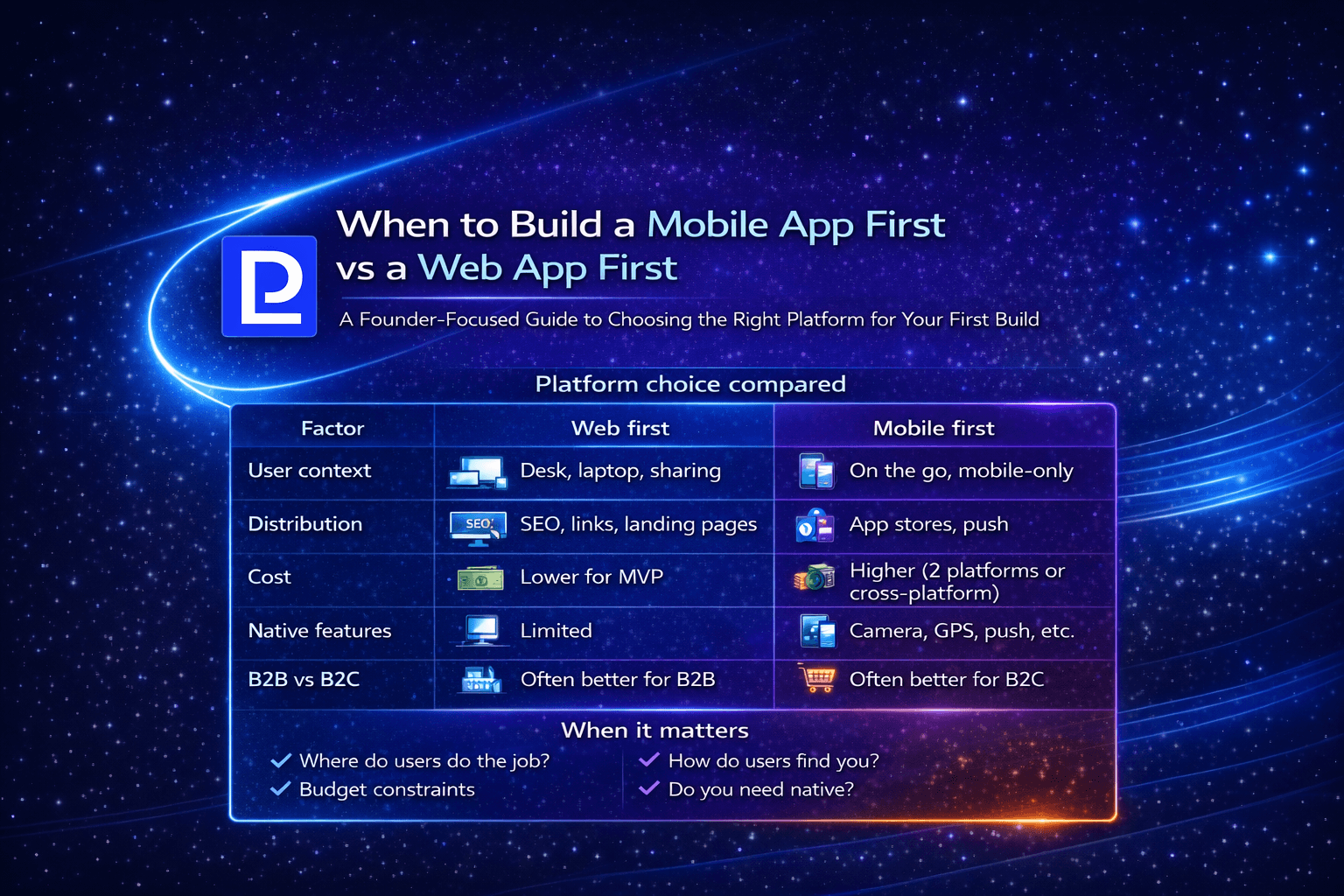
When to Build a Mobile App First vs a Web App First
A founder-focused guide to choosing mobile-first vs web-first: when each makes sense, tradeoffs, and how to decide for your product.